
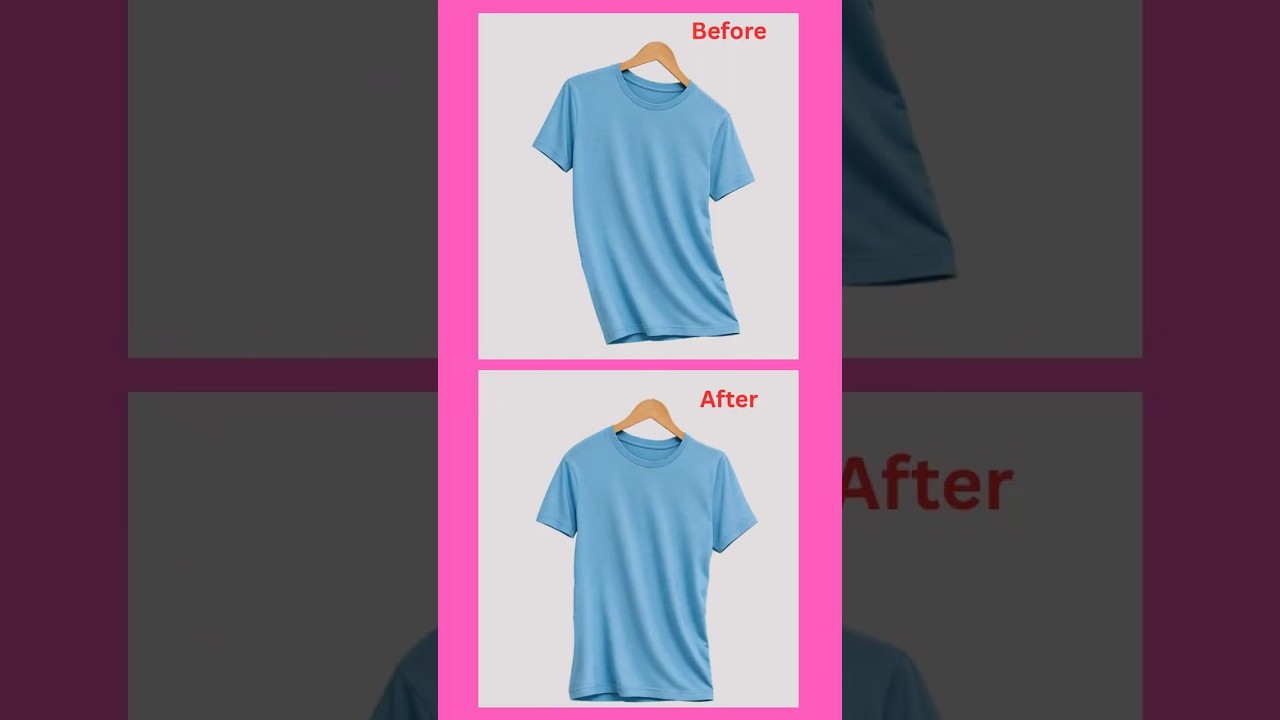
Photoshop Puppet Warp Tutorial | Straighten Any Object Easily
Learn how to use the Puppet Warp Tool in Adobe Photoshop to straighten, reshape, and adjust any object easily. This simple Photoshop technique is useful for beginners, graphic designers, and photo editors.
🎬 Watch the Tutorial
👉 Watch Photoshop Puppet Warp Tutorial on YouTube
What is Puppet Warp in Photoshop?
Puppet Warp is a powerful Photoshop transformation tool that allows you to control and reshape specific areas of an image using pins.
Instead of rotating or transforming the entire object, you can adjust only the required parts while keeping other areas in position.
What Can You Do With Puppet Warp?
- Straighten curved or tilted objects
- Adjust the shape of an object
- Move specific parts of an image
- Correct minor distortions
- Create precise photo adjustments
- Improve product images and graphic designs
How to Use Puppet Warp in Photoshop
Step 1: Open Your Image
Open Adobe Photoshop and load the image you want to edit.
Step 2: Select the Object
For better results, separate the object from the background using Photoshop's selection tools or the Remove Background option.
Step 3: Apply Puppet Warp
Select the required layer and go to:
Edit → Puppet Warp
Photoshop will display a mesh over the selected object.
Step 4: Add Pins
Click on different areas of the object to add pins. Place pins on important areas that you want to keep in position.
Step 5: Straighten the Object
Click and drag the pins to adjust the shape of the object.
By placing additional pins around important areas, you can prevent unwanted movement while straightening the required section.
Step 6: Apply the Changes
Once you are satisfied with the result, click the ✓ Apply button to confirm the transformation.
That's it! You can now straighten or reshape an object using Photoshop Puppet Warp.
Tips for Better Results
- Don't use too many pins.
- Place pins strategically around important areas.
- Duplicate your original layer before editing.
- Zoom in when making precise adjustments.
- Use smaller adjustments for a more natural result.
🎥 Watch the Photoshop Tutorial
More Photoshop Tutorials
If you want to learn more Photoshop tips, tricks, and beginner-friendly tutorials, follow 3K Graphic Arts for more graphic design content.
👉 Watch More Photoshop Tutorials
Conclusion
Photoshop Puppet Warp is a useful tool for straightening and reshaping objects without affecting the entire image. With a few strategically placed pins, you can easily control different parts of an object and create a cleaner result.
If you found this tutorial helpful, like the video, subscribe to the channel, and share it with other Photoshop learners.
Related Keywords
Photoshop Puppet Warp Tutorial, Puppet Warp Photoshop, How to Straighten Object in Photoshop, Photoshop Straighten Object, Puppet Warp Tool, Photoshop Tutorial for Beginners, Adobe Photoshop Tips, Photoshop Tips and Tricks, Photoshop Photo Editing
```


No comments:
Post a Comment
Thanks